Children
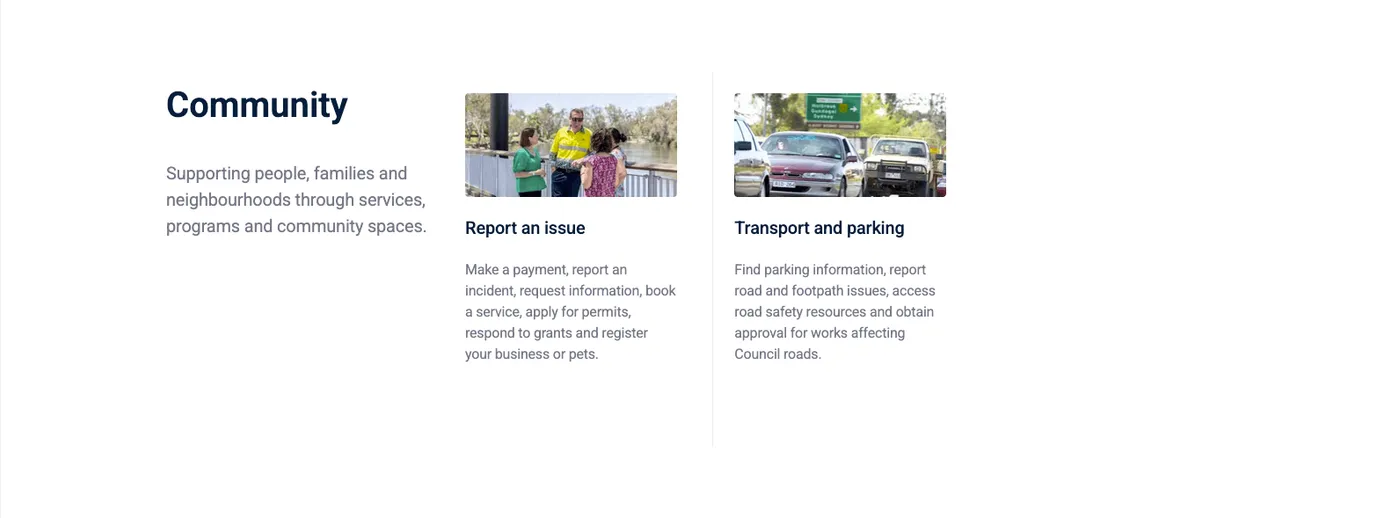
The Children component automatically displays the child items of the current page, based on the site’s menu hierarchy. This is useful for creating index-style pages that list sub-pages without having to manually add each link.
How it works
Section titled “How it works”The component looks at the menu hierarchy and finds all pages that are direct children of the current page:
DirectoryAbout
DirectoryOur Council (current page)
- Councillors (child — shown automatically)
- Meetings and Agendas (child — shown automatically)
- Code of Conduct (child — shown automatically)
- Services
- News
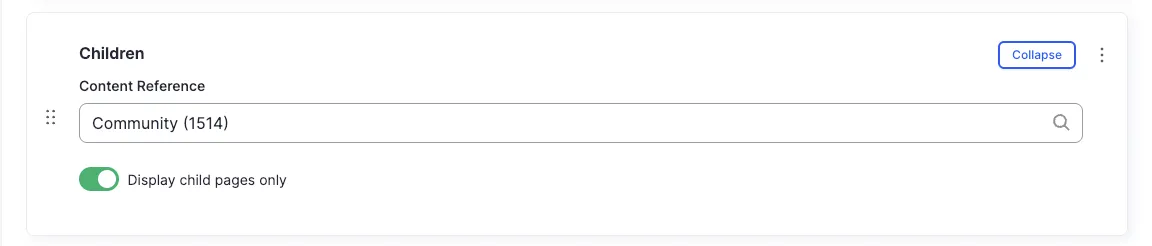
Content Reference
Section titled “Content Reference”Specify the parent node whose children should be displayed. In most cases, this will be the current page itself.
Display child pages
Section titled “Display child pages”All fields (technical reference) — 2 fields
| Field name | Machine name | Type | Role |
|---|---|---|---|
| Content Reference | field_dmz_content_reference | reference (page) | Editor |
| Number Children | field_dmz_enumerate_children | boolean | Editor |