Stepped Process
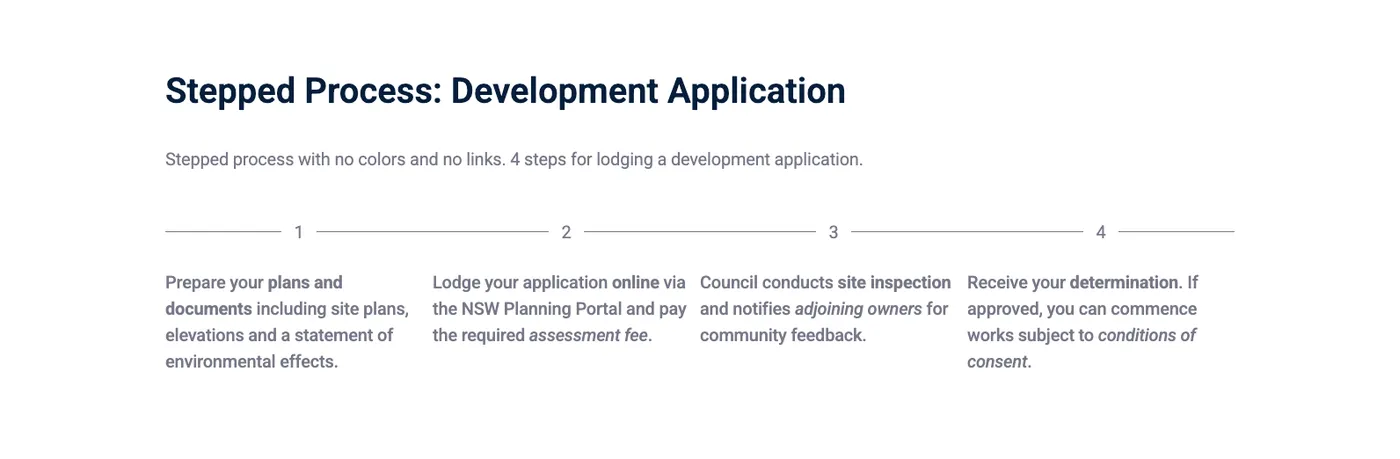
The Stepped Process component displays a series of steps in a process. Each step is represented by a circle with a number inside it and a short phrase underneath.
Intro tab
Section titled “Intro tab”Options in the Intro tab are covered in the Components section.
Process
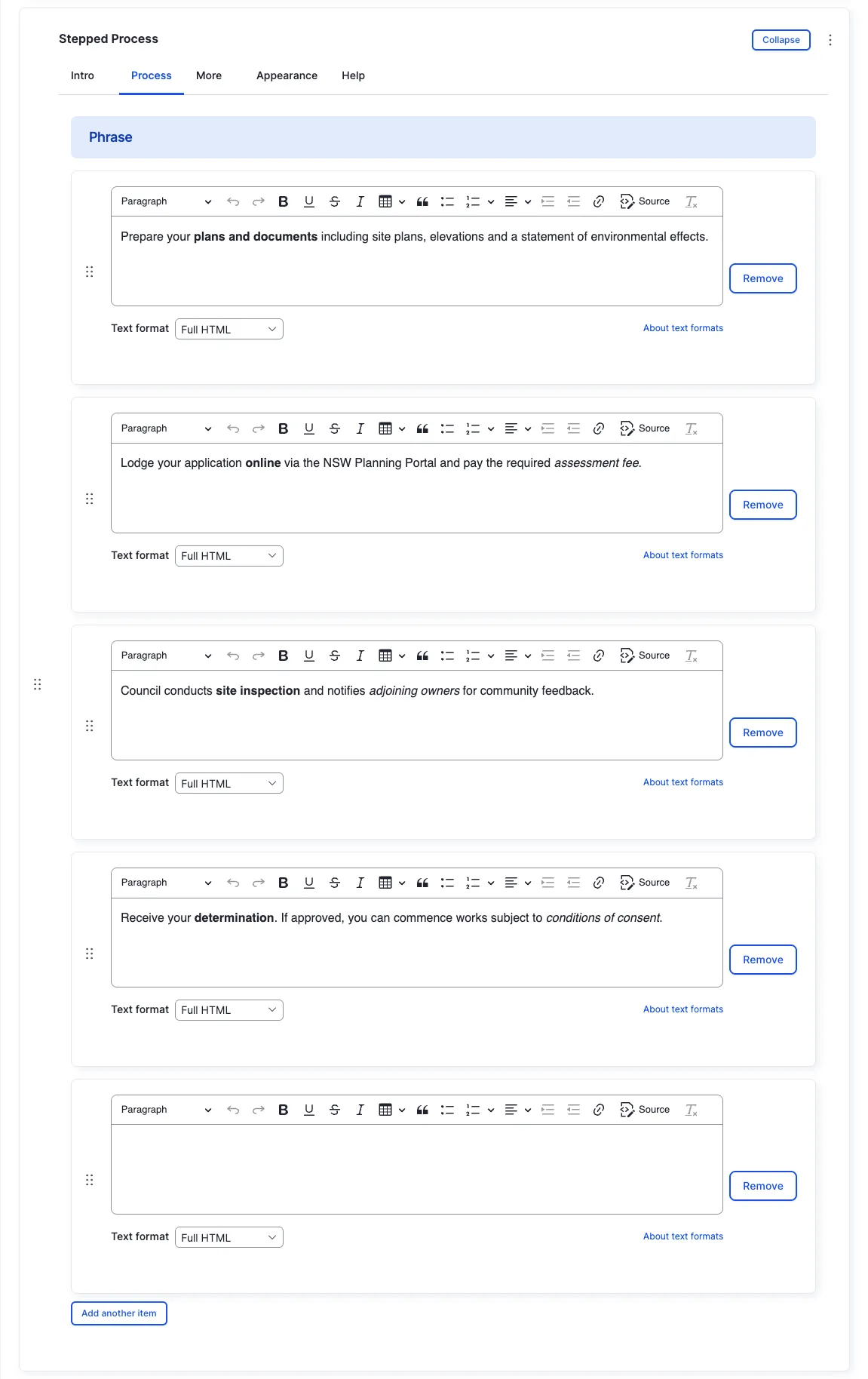
Section titled “Process”Phrase
Section titled “Phrase”The text displayed under each numbered step circle. For best visual results, keep the text short — one to three words works best.
“More link” appears at the top on the right from the component title.
Appearance Admin
Section titled “Appearance ”Other options in the Appearance tab are covered in the Components section.
All fields (technical reference) — 12 fields
| Field name | Machine name | Type | Role |
|---|---|---|---|
| Hidden | field_dmz_hidden | boolean | Editor |
| Buttons (legacy) | field_dmz_links | link | Deprecated |
| Background Media | field_dmz_media | reference (image, video, fotoweb) | Admin |
| More Link | field_dmz_more_link | link | Editor |
| Outer Background | field_dmz_palette_color_1 | list_string | Admin |
| Inner Background | field_dmz_palette_color_2 | list_string | Admin |
| Content Background | field_dmz_palette_color_3 | list_string | Admin |
| Step Phrase | field_dmz_phrase | text | Editor |
| Section ID | field_dmz_section_id | string (max 255) | Admin |
| Introductory Text | field_dmz_text | text | Editor |
| Introductory Title | field_dmz_title | text | Editor |
| Title Heading Level | field_dmz_title_tag | list_string | Admin |
Colours & BackgroundsThe shared colour palette used across all components.