Media
The Media Library is the central place to manage all media assets — images, videos, and documents — used across the site.
Media Library Overview
Section titled “Media Library Overview”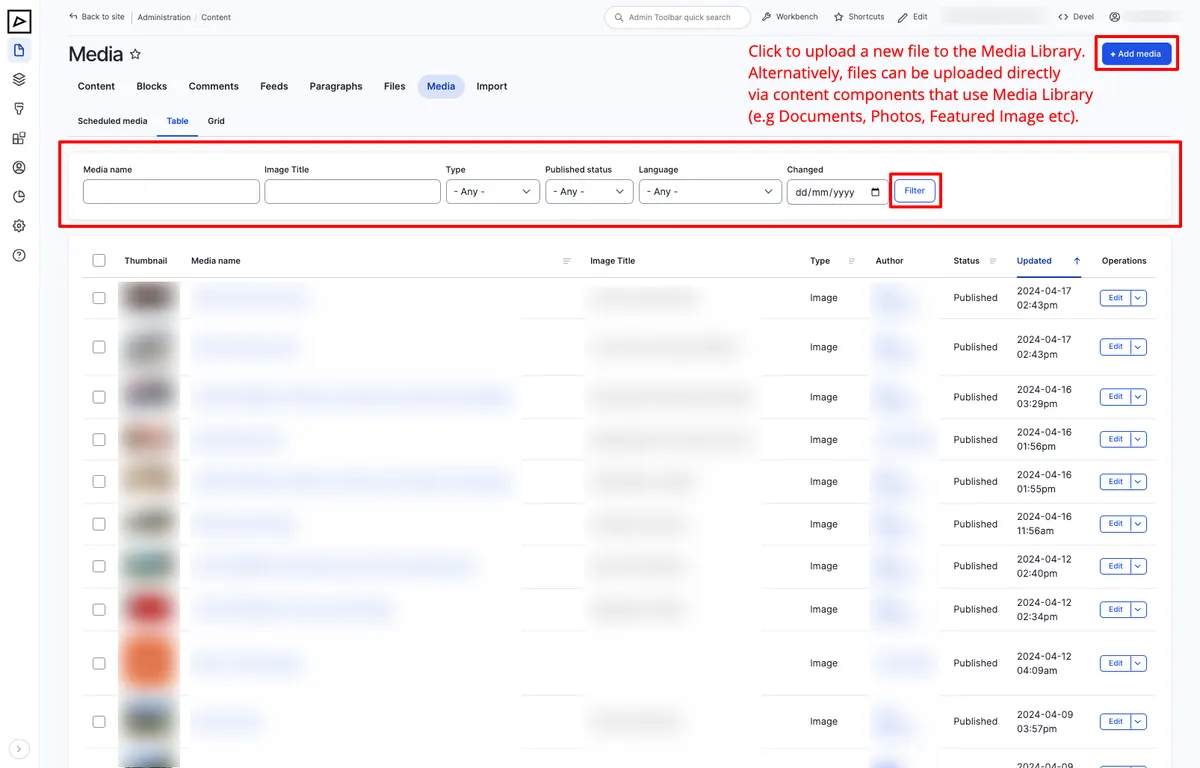
From the Media Library you can:
- Upload new media files
- Search and filter existing media
- Edit or replace media files
- Delete media that is no longer in use
Uploading Media
Section titled “Uploading Media”- Navigate to Content → Media in the admin menu
- Click Add media and choose the type (Image, Video, Document, etc)
- Upload the file or provide a URL
- Fill in the alt text (for images) and any other required fields
- Save
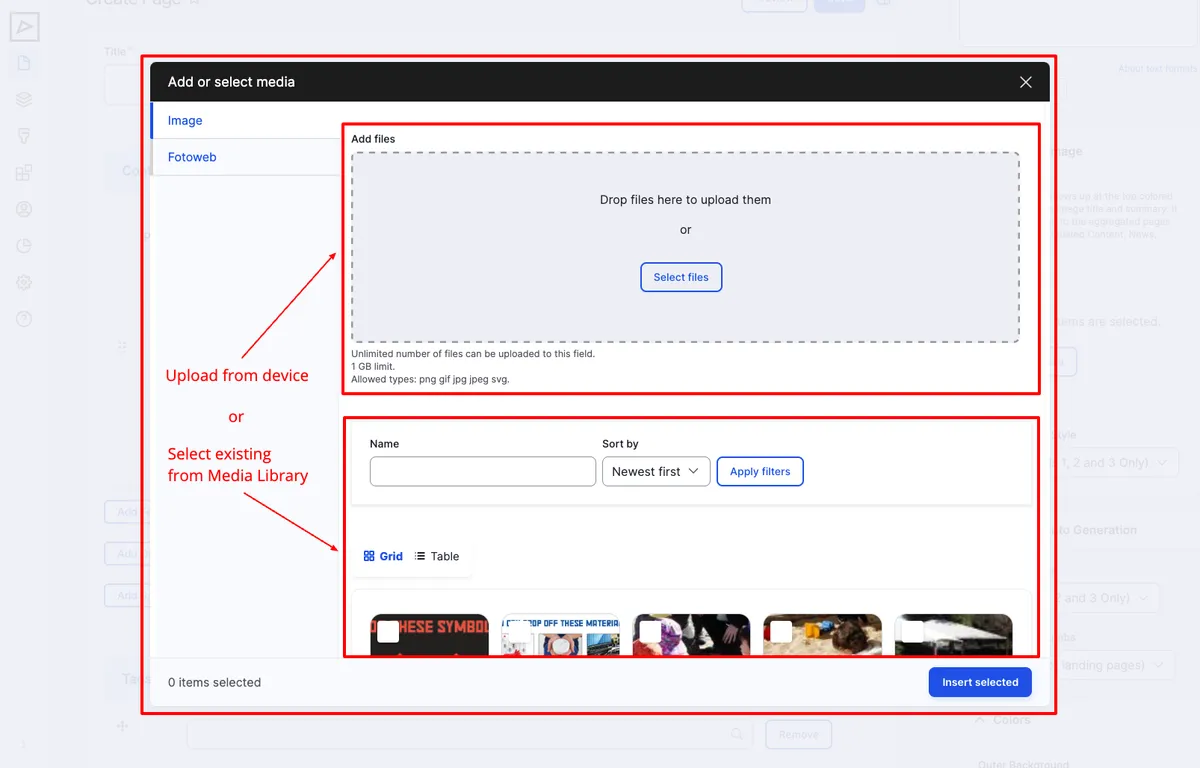
When selecting media from within a component, the Media Library dialog appears:
Focus Point
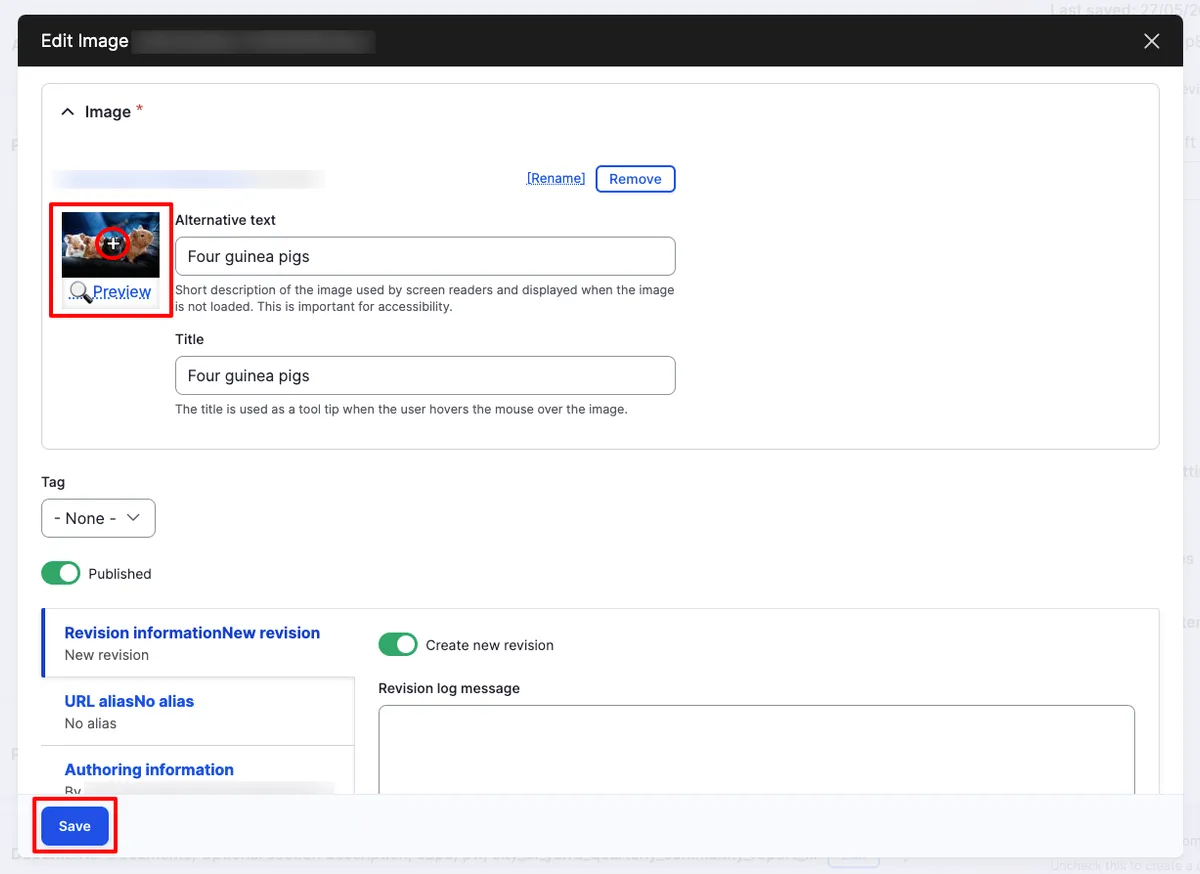
Section titled “Focus Point”For images, you can set a focus point — the area of the image that should remain visible when the image is cropped at different aspect ratios on various screen sizes.
File Recommendations
Section titled “File Recommendations”| Type | Recommended size | Formats |
|---|---|---|
| Images | 1920×1080px (full-width), under 1000px (half-screen) | JPEG, PNG |
| Documents | Under 10MB (for search indexing) | PDF, DOC, XLS |
| Videos | Varies by platform | MP4, or embed via YouTube |