Opening Hours
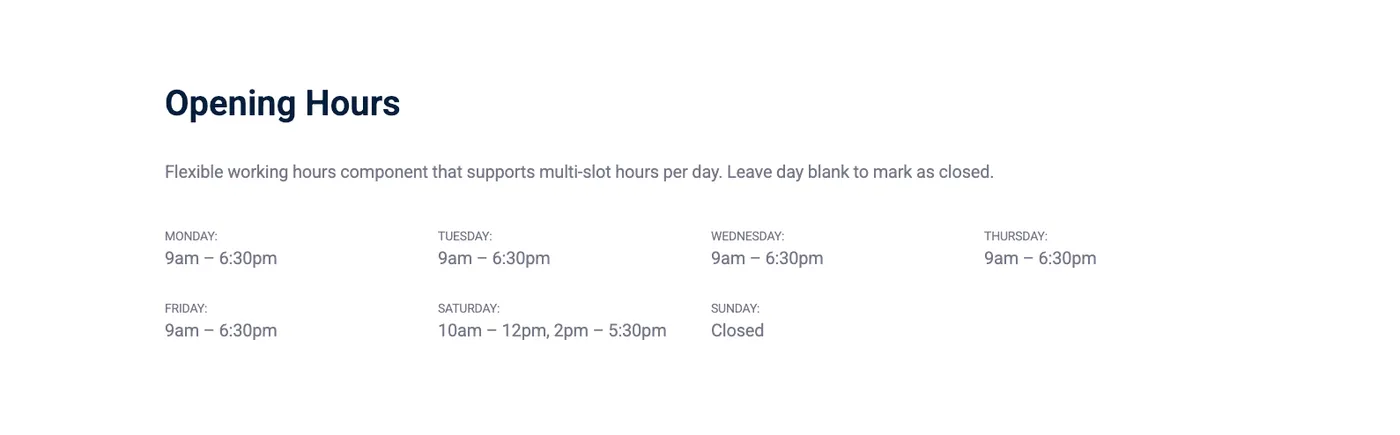
The Opening Hours component displays the hours of operation for a business or facility. It supports multiple time slots per day — useful for places that close for lunch and reopen later.
Intro tab
Section titled “Intro tab”Options in the Intro tab are covered in the Components section.
Opening Hours tab
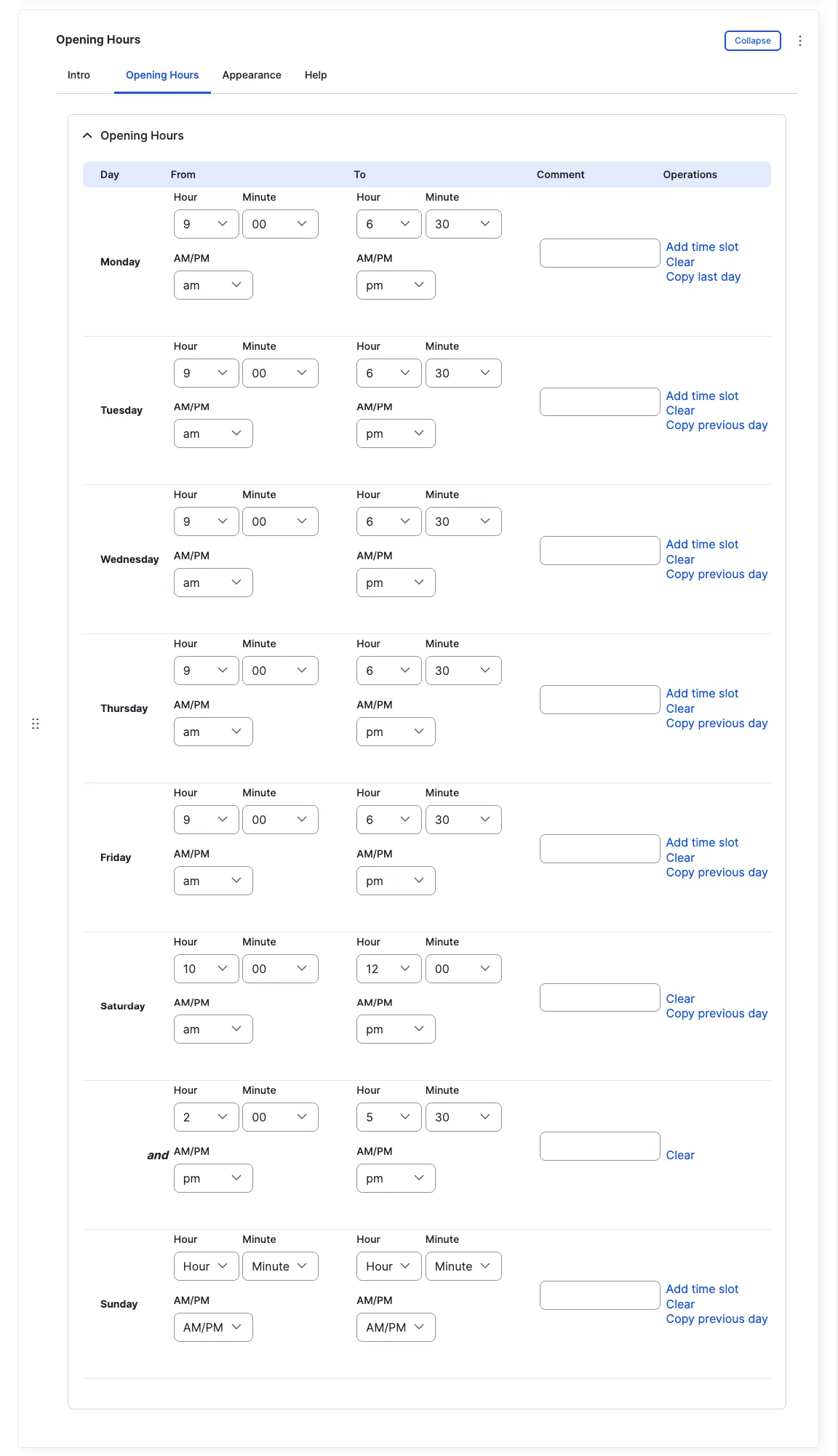
Section titled “Opening Hours tab”Leave the fields unchanged for a day, or click Remove to indicate that the business is closed on that day.
Multiple slots per day
Section titled “Multiple slots per day”Each day can have multiple time slots for different hours of operation. For example, a business may be open in the morning, closed for lunch, and reopen in the evening.
Click Add time slot and a new row of fields appears for you to enter the additional hours.
Appearance Admin
Section titled “Appearance ”Options in the Appearance tab are covered in the Components section.
All fields (technical reference) — 12 fields
| Field name | Machine name | Type | Role |
|---|---|---|---|
| Hidden | field_dmz_hidden | boolean | Editor |
| Buttons (legacy) | field_dmz_links | link | Deprecated |
| Background Media | field_dmz_media | reference (image, video, fotoweb) | Admin |
| More Link | field_dmz_more_link | link | Editor |
| Opening Hours | field_dmz_opening_hours | office_hours | Editor |
| Outer Background | field_dmz_palette_color_1 | list_string | Admin |
| Inner Background | field_dmz_palette_color_2 | list_string | Admin |
| Content Background | field_dmz_palette_color_3 | list_string | Admin |
| Section ID | field_dmz_section_id | string (max 255) | Admin |
| Introductory Text | field_dmz_text | text | Editor |
| Introductory Title | field_dmz_title | text | Editor |
| Title Heading Level | field_dmz_title_tag | list_string | Admin |
Colours & BackgroundsThe shared colour palette used across all components.